Estimated read time: 7 minutes | Target: Decision Makers & Transitioning Consultants
One of the most common questions I get asked whether in a pre-sales meeting, a discovery workshop, or even a casual conversation at a Microsoft event is this:
“We’re already on NAV. Should we move to Business Central or jump straight to Finance & Operations?”
After 12 years of sitting across the table from CFOs, IT Managers, and Operations Directors, I’ve learned that there is no universal answer. But there is a framework. Let me break it down.
First, Let’s Clarify What We’re Actually Comparing
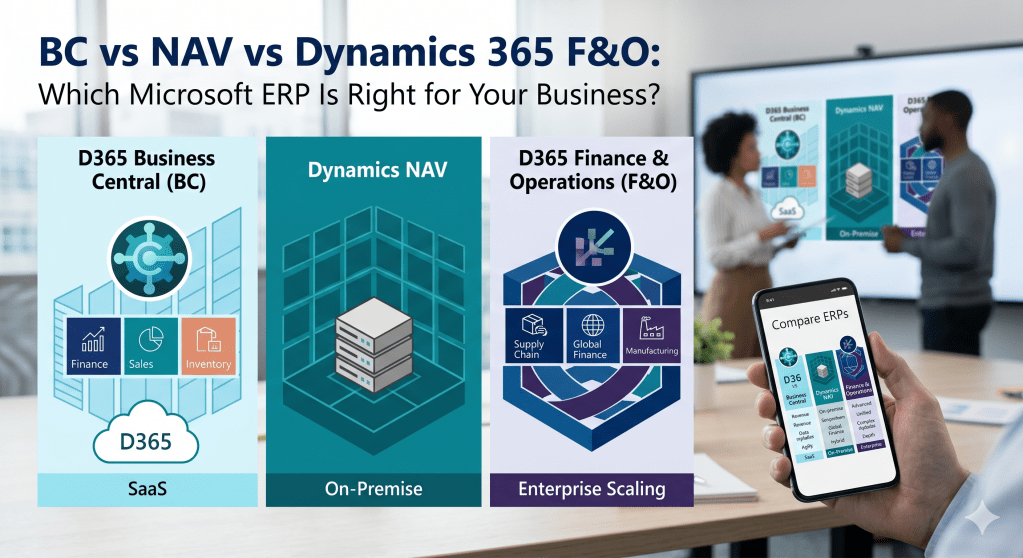
Before diving in, it’s important to understand that Microsoft has been consolidating its ERP portfolio under the Dynamics 365 brand. Here’s how the three products map out:
| Product | Former Name | Target Market |
|---|---|---|
| Dynamics 365 Business Central | Microsoft Dynamics NAV (Navision) | SMBs — up to ~300 users |
| Dynamics 365 Finance & Operations | Microsoft Dynamics AX (Axapta) | Enterprise — 300+ users, multi-entity |
| Microsoft Dynamics NAV | N/A (Legacy, on-premise) | Legacy — no longer sold new |
NAV is not dead thousands of businesses still run on it but it is in extended support. The real question today is: BC or F&O?
1. Business Central — The Modern SMB Powerhouse
Business Central is the spiritual successor to NAV, rebuilt from the ground up for the cloud era. If NAV was a reliable family saloon, Business Central is the same DNA but now a modern hybrid with a full connected ecosystem.
BC is the right choice when:
- Your business has between 10 and ~300 users
- You need a fast, cost-effective implementation (typically 3–6 months)
- Your processes are largely standard Finance, Sales, Purchase, Inventory, basic Manufacturing
- You want the Power Platform ecosystem (Power BI, Power Automate, Power Apps) deeply integrated out of the box
- You are a single-entity or simple multi-entity business
The honest limitation: BC starts to show its ceiling when you have highly complex manufacturing, global multi-entity consolidations with intercompany transactions, or advanced project accounting needs at enterprise scale.
📚 Microsoft Learn Path: Get Started with Dynamics 365 Business Central
2. Dynamics 365 Finance & Operations — Enterprise Grade, Enterprise Complexity
F&O (now split into Dynamics 365 Finance and Dynamics 365 Supply Chain Management) is a different beast entirely. It was built for large, complex, global organisations.
F&O is the right choice when:
- You have 300+ users or operate across multiple countries with complex legal entity requirements
- You need advanced manufacturing discrete, process, or lean
- Your finance team requires sophisticated consolidation, budgeting, and multi-currency intercompany
- You have complex supply chain scenarios demand forecasting, advanced warehousing (WMS), transportation management
- Compliance and audit requirements demand enterprise-grade controls
The honest limitation: F&O implementations are expensive and long typically 12–24 months and require a significantly larger budget. It is not a system you deploy lightly.
📚 Microsoft Learn Path: Get Started with Dynamics 365 Finance
3. What About Clients Still on NAV?
If you are consulting for a client still running NAV 2016, NAV 2017, or NAV 2018, the conversation is less about “which product” and more about “when and how.”
Microsoft’s mainstream support for older NAV versions has ended. The migration path is clear: Business Central is the natural home for NAV customers. The data model is familiar, the functional logic is similar, and Microsoft has invested heavily in migration tooling.
The key questions to ask a NAV client:
- How heavily customised is your current NAV system?
- Are your customisations solving a genuine business need or a workaround for a poor process?
- Could AppSource extensions replace your custom code?
In my experience, the most successful NAV-to-BC migrations are the ones where the client uses the migration as an opportunity to re-evaluate their processes, not just lift-and-shift their old customisations into a new system.
📚 Microsoft Learn Path: Migrate Data to Dynamics 365 Business Central
4. The Decision Framework — A Simple Checklist
When I sit in a discovery workshop, here is the shorthand framework I use to steer the conversation:
| Question | Points to BC | Points to F&O |
|---|---|---|
| User count | Under 300 | Over 300 |
| Implementation budget | Moderate | Large |
| Go-live timeline | 3–6 months | 12–24 months |
| Legal entities | 1–5, simple | 5+, complex intercompany |
| Manufacturing complexity | Basic to intermediate | Advanced / process / lean |
| Supply chain complexity | Standard | Advanced WMS, TMS |
| Power Platform priority | High | Moderate |
| Existing Microsoft stack | Office 365, Teams | Azure, large IT infrastructure |
If you score mostly in the BC column, start the Business Central conversation. If the majority points to F&O, you are in enterprise territory and the budget and timeline conversation needs to happen before anything else.
Conclusion: The Right Tool for the Right Business
There is no “better” product between BC and F&O there is only the right fit. The biggest mistake I see in pre-sales is consultants who lead with the product instead of the problem. Understand the business first. The product recommendation follows naturally.
As a Functional Consultant or Solution Architect, your credibility is built on giving honest guidance even when that means telling a client that the product you specialise in isn’t the right fit for them.
📚 Your Next Step — Official Microsoft Learn Paths
| Topic | Learn Path |
|---|---|
| Business Central Fundamentals | Get Started with Business Central |
| Finance & Operations Fundamentals | Get Started with Dynamics 365 Finance |
| NAV to BC Migration | Migrate Data to Business Central |
| MB-800 Certification | MB-800 Exam Preparation |
Missed the previous posts? Catch up on [Post #1 — Why I Started This Blog] and [Post #2 — What Every Functional Consultant Needs to Understand About BC] before reading on.
Have you been part of a BC vs F&O decision at your organisation? I’d love to hear how it went in the comments.
 Agentic ERP Blog
Leave a comment