Estimated read time: 7 minutes | Target: Decision Makers & All Consultants
After 12 years and dozens of Business Central implementations, I’ve seen projects that were textbook successes and projects that nearly derailed entirely. The interesting thing? The failures rarely happen because of the software. They happen because of decisions made or not made before a single configuration screen was touched.
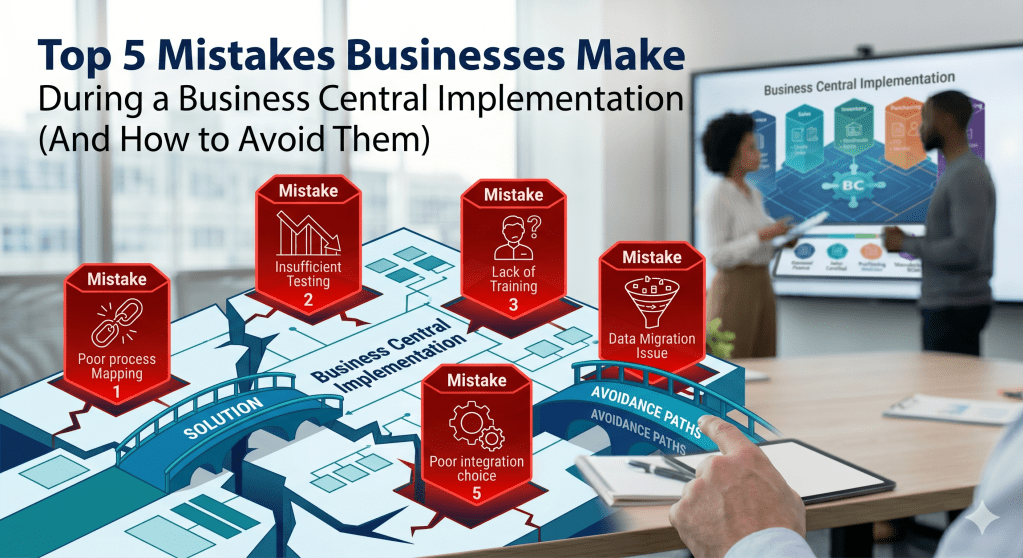
Here are the five most common mistakes I’ve seen businesses make during a BC implementation, and more importantly, how to avoid them.
Mistake #1 — Going Live Without a Data Migration Strategy
This is the single most underestimated workload in any BC project. Businesses assume that migrating data from their old system is a simple export-import exercise. It almost never is.
I’ve seen projects where the client’s legacy data had:
- Customer records with no payment terms assigned
- Items with no costing method defined
- Open transactions with mismatched balances
- Duplicate vendors with slightly different names and no consolidation
When bad data moves into a new system, it doesn’t become clean data it becomes bad data in an expensive new system.
How to avoid it: Start your data migration workstream on Day 1 of the project not Week 8. Assign a dedicated data owner on the client side who understands both the old system and the business rules. Run at least two full mock migrations before go-live, and build a data cleansing checklist that gets signed off before any data touches the production environment.
And always ask this question during discovery: “When was the last time someone audited your master data?” The answer tells you everything.
📚 Microsoft Learn Path: Migrate Data to Dynamics 365 Business Central
Mistake #2 — Skipping the Fit-Gap Analysis
Every business thinks they are unique. And in many ways they are their culture, their team, their market. But their business processes? More often than not, they follow patterns that BC was designed to handle out of the box.
The mistake I see is when a project team skips a proper Fit-Gap Analysis and jumps straight into configuration or worse, straight into customisation. The result is a system loaded with unnecessary bespoke development that is expensive to maintain and breaks with every Wave update.
How to avoid it: Run a structured Fit-Gap Analysis in the early stages of every project. Walk through each business process with the key users, map it against BC’s standard functionality, and only escalate to customisation when there is a genuine, documented gap that cannot be solved by configuration, AppSource, or a process change.
In my experience, at least 60–70% of what clients initially ask for as “customisations” can be handled natively in BC if the consultant knows the system well enough to show them.
Mistake #3 — Underestimating the Change Management Workload
Here is an uncomfortable truth: your BC implementation will only be as successful as your users’ willingness to adopt it.
I’ve watched beautifully configured systems fail in the hands of a resistant user base. Key users who weren’t involved in the project. Managers who didn’t communicate the “why” to their teams. Finance teams who were still running parallel spreadsheets six months after go-live because they didn’t trust the new system.
Technology is the easy part. People are hard.
How to avoid it:
- Involve key users from every department in the design phase not just IT and Finance
- Appoint internal Champions in each department who are trained early and become the first line of support after go-live
- Communicate the “why” clearly and repeatedly what problem is this project solving for the business?
- Build a realistic training plan that includes role-based training, not just generic system walkthroughs
- Don’t underestimate the time needed for hyper-care support in the first 4–6 weeks after go-live
The best implementations I’ve been part of had a strong internal Project Sponsor who championed the system from the boardroom down.
Mistake #4 — Treating the Go-Live as the Finish Line
This is one I see with clients who have never been through an ERP implementation before. They spend months planning, configuring, and testing and then the moment the system goes live, they exhale and consider the project done.
In reality, go-live is the beginning of a new phase, not the end of the project.
Business Central is an Evergreen system. Microsoft releases two major updates every year — Wave 1 (April) and Wave 2 (October). Each wave brings new features, UI changes, and occasionally deprecated functionality. If no one on the client side is monitoring the roadmap, surprises are guaranteed.
How to avoid it:
- Build a post go-live support plan into the project scope from day one
- Assign an internal BC Champion or appoint a partner for ongoing managed services
- Subscribe to Microsoft’s BC release plan at aka.ms/BCReleasePlan and review it every six months
- Schedule a formal post go-live review at 30, 60, and 90 days to capture feedback and address gaps before they become problems
A successful implementation is one that the client is still happy with 12 months after go-live not just on day one.
Mistake #5 — Customising Before Exploring Native Functionality
I’ve saved this one for last because it’s both the most common and the most avoidable.
BC has evolved enormously since the NAV days. What required custom development in NAV 2015 often has a native solution in Business Central today. Yet I still walk into projects where the client or even the consultant has commissioned bespoke development for something BC can handle out of the box.
The cost isn’t just financial. Every customisation you add is a liability. It needs to be tested against every Wave update. It can conflict with AppSource extensions. It adds complexity to future upgrades.
How to avoid it: Before any customisation request goes to a developer, ask three questions:
- Can this be solved through configuration? (Posting Groups, Number Series, Dimensions, Workflows)
- Can this be solved through AppSource? (Check the marketplace first always)
- Can this be solved by changing the process rather than changing the system?
Only when all three answers are no should a customisation conversation begin.
📚 Microsoft Learn Path: Extend Business Central with AppSource
Conclusion: The Pattern Behind Every Successful Implementation
Looking back across 12 years of implementations, the successful ones share a common pattern: strong discovery, clean data, involved users, realistic timelines, and a partner who says “no” when no is the right answer.
The technology is the easy part. Your job as a consultant or as a business leader commissioning this project is to get the human side right.
📚 Your Next Step — Official Microsoft Learn Paths
| Topic | Learn Path |
|---|---|
| Data Migration | Migrate Data to Business Central |
| AppSource Extensions | Extend BC with AppSource |
| BC Fundamentals | Get Started with Business Central |
| MB-800 Certification | MB-800 Exam Preparation |
This completes Month 1 of my 12-month MVP blogging journey. If you’re just joining, start from [Post #1] and work your way through.
Which of these five mistakes have you seen or lived through on a BC project? I’d genuinely love to hear your war stories in the comments.


Leave a Reply