
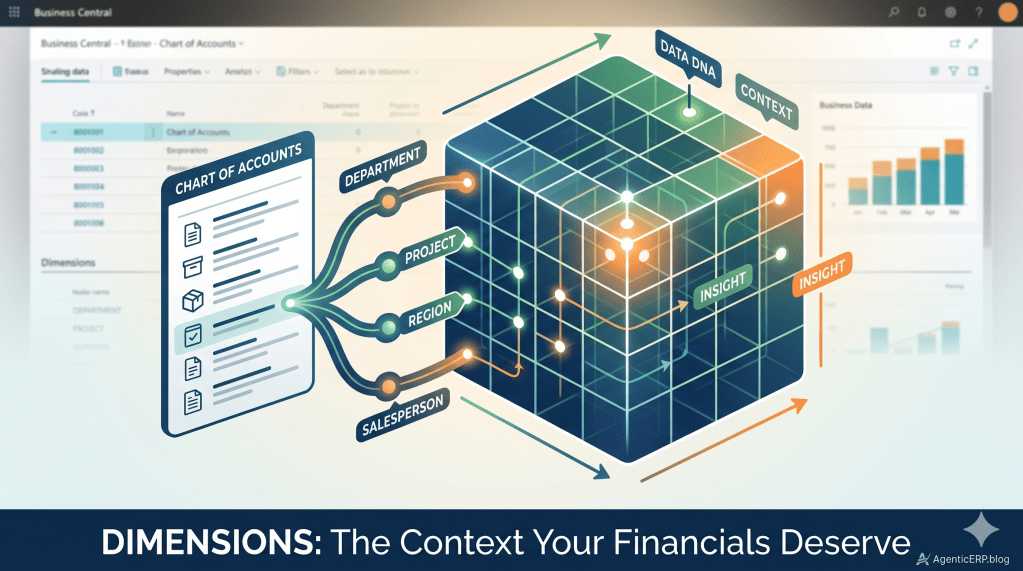
The Concept: Dimensions as “Data DNA”
For anyone new to ERP, think of Dimensions as tags. If a G/L Account is the “What” (e.g., Office Supplies), a Dimension is the “Context” (e.g., Who bought it? For which project?).
Why this matters: Dimensions keep your Chart of Accounts lean. Instead of 50 “Travel” accounts for 50 departments, you have one account and one “Department” dimension.
1. The Architect’s Hierarchy
To set up a system that lasts, you must understand the three levels of Dimensions:
- Global Dimensions (The Top 2): These are your “VIPs.” They are baked into every table in Business Central and are the easiest to report on.
- Shortcut Dimensions (3 through 8): These provide extra detail on journals and document lines.
- Dimension Values: The actual options (e.g.,
SALES,HR,PROD).
2. Setting Up Your First Dimension
- Define the Dimension: Search for Dimensions and create a code (e.g.,
DEPARTMENT). - Define the Values: Click Dimension Values and add your specific list (e.g.,
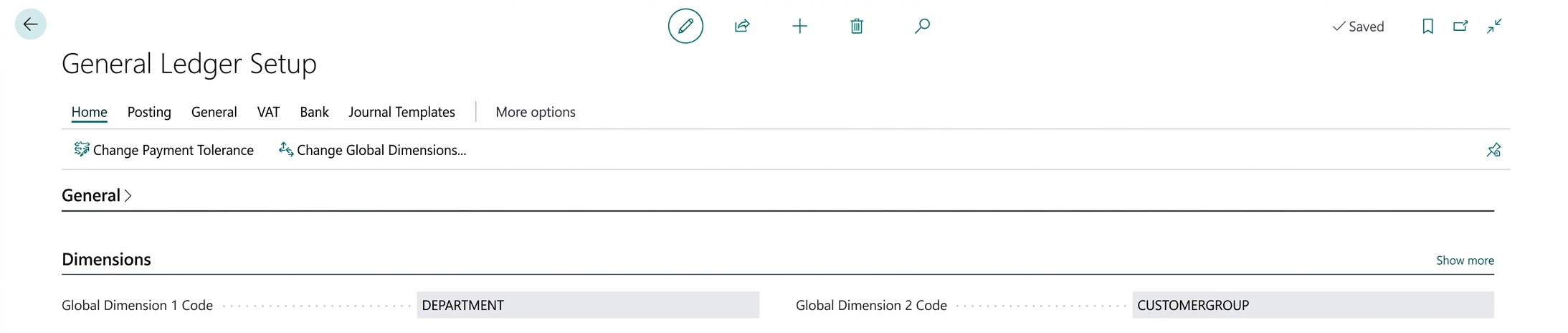
SALES,ADMIN). - Assign to Ledger: Go to General Ledger Setup and pick your
DEPARTMENTas Global Dimension 1.
3. Step-by-Step: Posting a Purchase Invoice with Dimensions
Let’s see the “Data DNA” in action. We are going to buy office supplies and tag them to the Sales Department.
Step A: Create the Invoice
- Search for Purchase Invoices and click New.
- Select your Vendor.
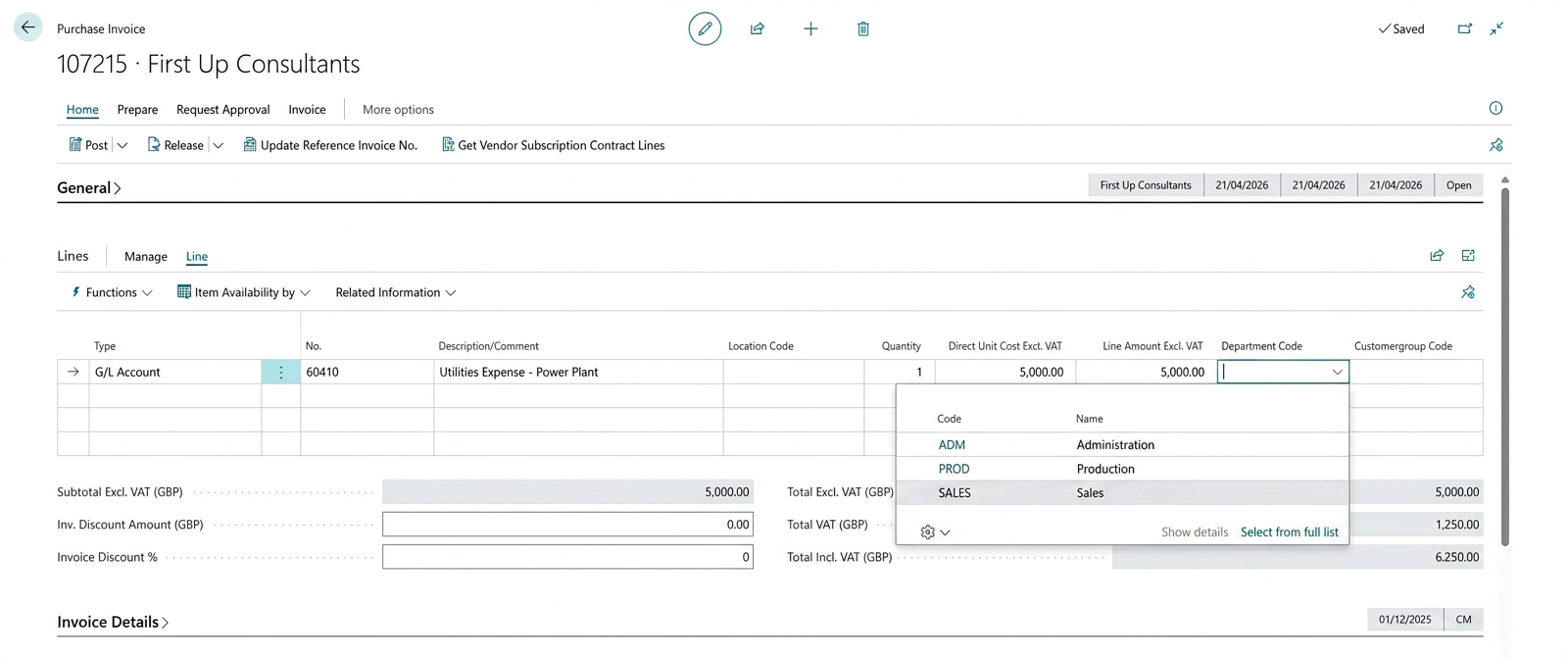
- In the Lines section, select a G/L Account (e.g., 60410 – Utilities Expense – Power Plant).
Step B: Tag the Dimension
- On the line, look for the Department Code column.
- Select
SALES. - Architect’s Tip: If you don’t see the column, click the Settings icon (Personalize) and drag the field onto your grid.
Step C: Post the Transaction
- Click Post -> Post and Print (or just Post).
- Business Central is now writing the G/L Account and the Dimension tag to the database simultaneously.
4. Seeing the Finance Impact
This is where the magic happens for the Finance Team.
- Open the Posted Purchase Invoice.
- Click Find Entries (Navigate).
- Click on the G/L Entries (the actual accounting records).
- Notice that the “Utilities Expense – Power Plant” entry isn’t just a number it has the Department Code: SALES attached to it.

Why This Matters for the Future (Agentic ERP)
As we move toward an era of AI and Agentic ERP, clean data is your foundation. Autonomous agents rely on these tags to analyse spending patterns. If your dimensions are messy, the AI’s insights will be useless. Setting these up correctly today is the first step toward an AI-ready business.
Final Thought for Freshers
Remember: Dimensions are for reporting, but Governance is for sanity. Use “Value Posting” rules to make sure users must pick a department, so your reports are never empty!


Leave a Reply