
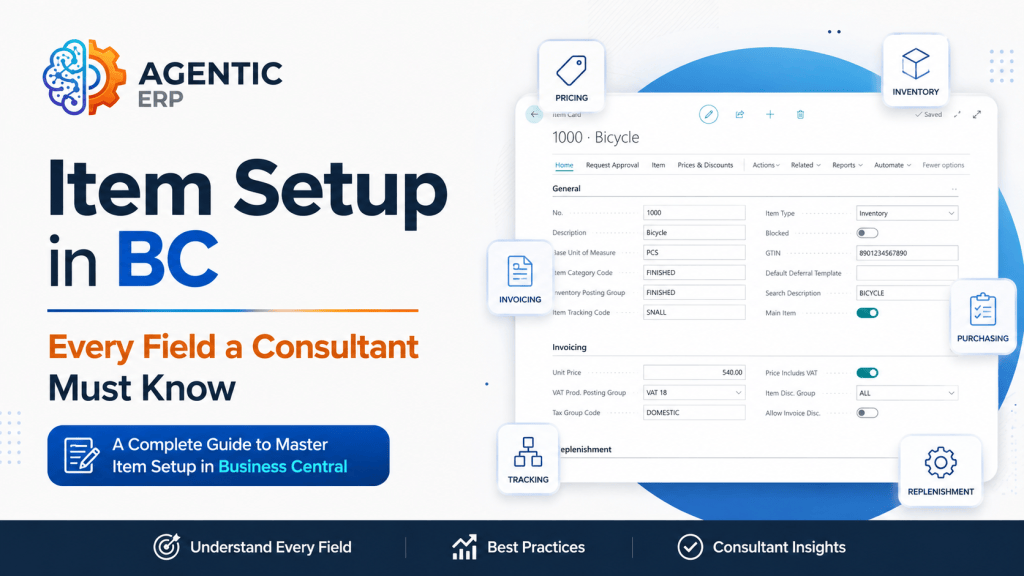
During a Microsoft Dynamics 365 Business Central implementation, the Item Card is arguably the most critical master data structure in the system. Almost every major module—Procurement, Sales, Inventory, Manufacturing, Jobs, and Warehousing—relies heavily on how the Item Card is configured.
Setting up items incorrectly leads to inventory valuation errors, broken planning runs (MRP), incorrect posting to the General Ledger, and downstream operational frustration.
In this guide, we’ll break down the essential fields on the Business Central Item Card that every Solution Architect and Functional Consultant must master during discovery and data migration.
The Item Card Architecture
When opening an Item Card in Business Central, the fields are organized into logical FastTabs: Item, Inventory, Costs & Posting, Prices & Sales, Replenishment, and Planning.
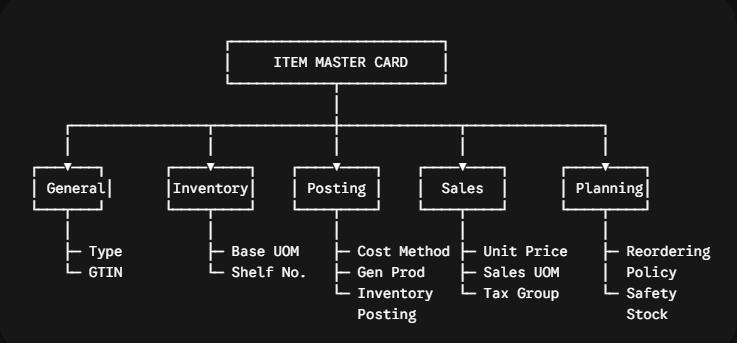
Let’s walk through the non-negotiable fields on each FastTab.
1. The ‘Item’ FastTab (General Identity)
- Type:
- Inventory: Physical stock items tracked on the balance sheet with ledger entries.
- Non-Inventory: Physical items consumed immediately (e.g., office supplies, low-value hardware) where stock quantity isn’t tracked.
- Service: Non-physical labor or service units.
- Base Unit of Measure (UOM): The foundational unit of measure used for inventory tracking, costing, and G/L valuation.Architect Rule: Always set the Base UOM to the smallest discrete unit the customer handles (e.g., “Pcs” or “EA” instead of “Box”). Higher-level units (Boxes, Pallets) should be defined as UOM conversions.
- Automatic Ext. Text: Toggle ON if you want item notes or safety instructions to automatically pop up on sales and purchase order lines.
📸 [SCREENSHOT PLACEHOLDER 1]: Capture the Item (General) FastTab of an Item Card in BC highlighting the Type dropdown and Base Unit of Measure fields.
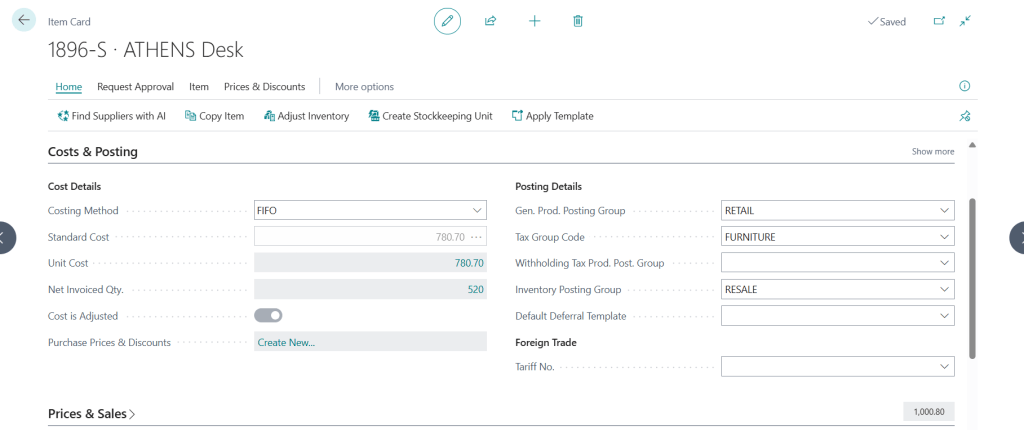
2. The ‘Costs & Posting’ FastTab (Financial Engine)
This is where the finance and supply chain teams intersect. Errors here will cause major headaches during financial audit cycles.
- Costing Method:
- FIFO / LIFO / Specific: Valuation based on actual batch/lot movement layers.
- Average: Weighted average cost calculated across the inventory layer.
- Standard: Fixed target cost used extensively in manufacturing. Variance posts directly to G/L variance accounts.
- Unit Cost & Cost is Adjusted:Shows the current unit cost. If Cost is Adjusted is unchecked, it means the Adjust Cost – Item Entries batch job hasn’t run recently, and financial reporting may be temporarily out of sync.
- Inventory Posting Group: Maps the item to the specific Balance Sheet Inventory Account in the G/L via the Inventory Posting Setup.
- Gen. Prod. Posting Group: Combines with the Gen. Bus. Posting Group (from customer/vendor) to route revenue, COGS, and purchase accounts in the P&L.
- VAT/Tax Prod. Posting Group: Determines tax rates applied on sales/purchase transactions for this item.
3. The ‘Replenishment’ FastTab (Procurement & Production)
- Replenishment System:Defines how Business Central generates supply recommendations:
- Purchase: Generated via Purchase Orders.
- Prod. Order: Generated via Manufacturing Production Orders.
- Assembly: Driven by Light Assembly / Bill of Materials.
- Lead Time Calculation: Enter duration codes (e.g.,
10Dfor 10 days,2Wfor 2 weeks) to drive accurate procurement/production delivery dates during planning runs. - Vendor No. & Vendor Item No.: Maps the default primary supplier and their internal catalog/part number for automated PO creation.
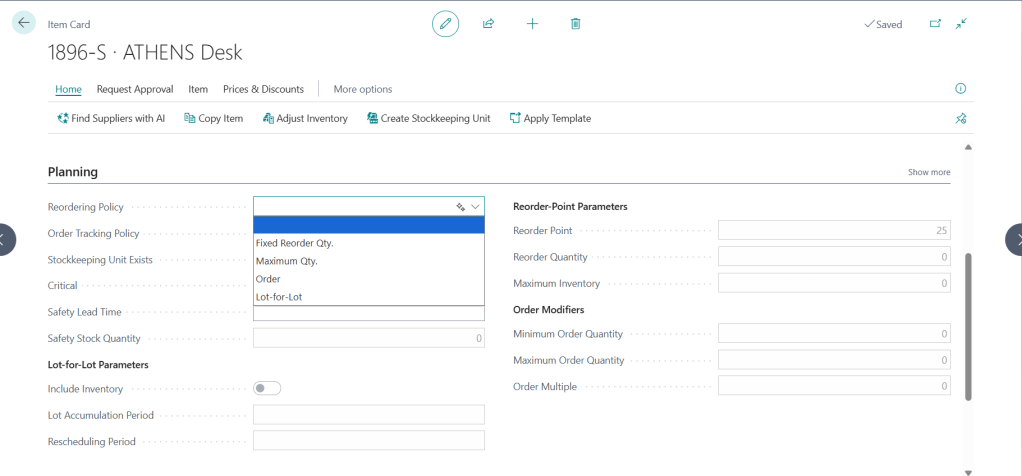
4. The ‘Planning’ FastTab (The MRP Control Center)
If the customer uses Material Requirements Planning (MRP) or the Requisition Worksheet, these fields dictate system behavior.
- Reordering Policy:
- Fixed Reorder Qty.: Triggers replenishment when stock hits a defined threshold.
- Maximum Qty.: Tops stock up to a specified maximum level.
- Lot-for-Lot: Groups supply orders based on actual demand within a specified time frame.
- Order: Creates 1:1 supply orders directly tied to a specific sales demand line.
- Reorder Point & Reorder Quantity: Defines when to buy/produce and how much to order when using the Fixed Reorder Qty. policy.
- Safety Stock Quantity: A buffer quantity held to protect against supply volatility or demand spikes.
- Dampener Quantity / Reserve: Prevents the MRP engine from recommending trivial PO quantity modifications for small demand fluctuations.
Common Pitfalls & Troubleshooting
| Issue / Error | Root Cause | Solution |
| “You cannot change Base Unit of Measure” | Item ledger entries already exist in the system for this item. | Must use Item Journal to zero out stock, close entries, or create a new item if UOM structure was set up incorrectly. |
| G/L Posting to wrong account | Incorrect Gen. Prod. Posting Group assigned during item creation. | Update the group on the Item Card. Note: Existing posted transactions won’t retroactively change, but future postings will align correctly. |
| MRP suggesting hundreds of tiny POs | Lot-for-Lot policy used without setting a proper Lot Accumulation Period or Dampener. | Set a Lot Accumulation Period (e.g., 1W) on the Planning FastTab to combine demand. |
Looking Ahead: The Agentic ERP Horizon 🤖
Master data maintenance is notoriously tedious, and incomplete Item Cards are a major root cause of ERP operational failure.
In an Agentic ERP architecture:
- An Autonomous AI Agent monitors new item creation workflows. When a user creates a new item, the agent validates all mandatory fields against company governance rules (e.g., checking if Gen. Prod. Posting Group matches the chosen Item Category).
- If a critical field like Reordering Policy or Vendor Item No. is missing, the agent flags the item card, restricts its use on active sales/purchase orders, and notifies the Master Data Steward on Teams with a single-click auto-fix recommendation.
- Using computer vision and manufacturer data sheets, an AI agent can auto-populate attributes, tax groups, and lead times directly into BC APIs upon reading a supplier spec sheet.
Summary
The Item Card in Business Central is much more than a simple inventory list it is the central engine driving your financial posting, inventory valuation, and supply chain automation. Taking the time during discovery to define standard Item Templates and train users on key FastTab configurations ensures a smooth implementation and clean operational data.


Leave a Reply